
Guides
How Can I Hide a Song QR Code Until the Recipient Opens the Card?
· 5 min read · By the Songs for the One team
The short answer
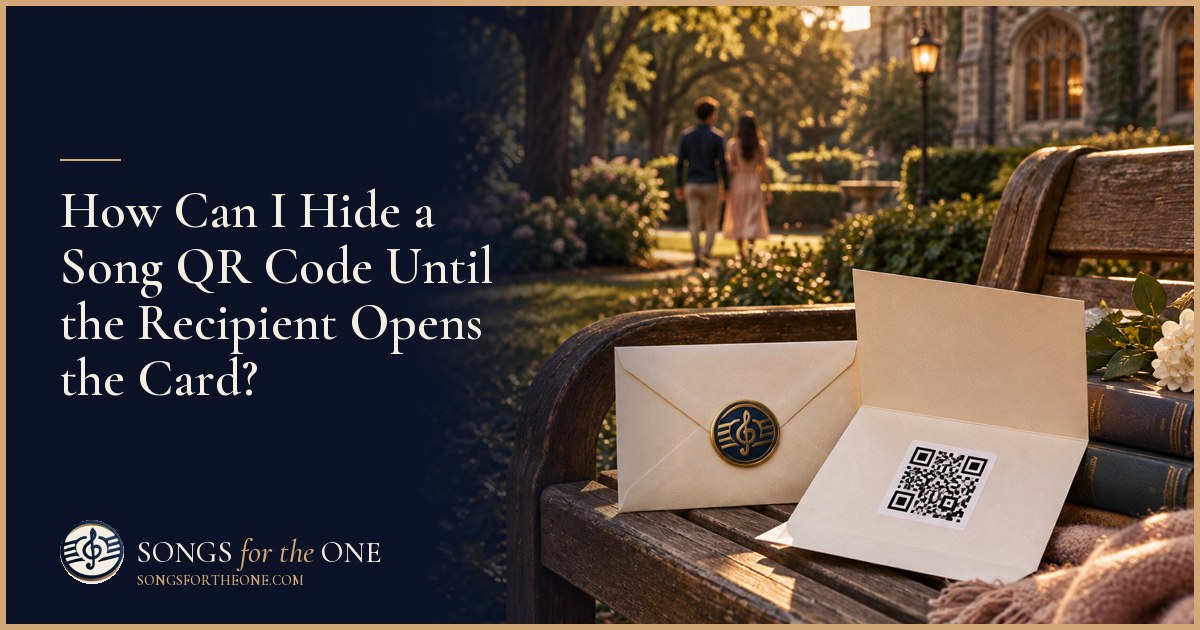
You can hide a song qr code inside a folded paper insert or beneath an opaque flap attached inside the card. Keep folds, tape, and glue away from the printed code and its white border. Test the finished card with a phone before sealing the envelope.
Key takeaways
- Use a folded insert for the quickest, simplest concealment.
- Attach a covering flap above the QR code, not across it.
- Keep the code flat, high-contrast, and surrounded by white space.
- Scan the finished card and check the song link before gifting.
- Include a plain instruction so the recipient knows how to listen.
What is the simplest way to hide the code?
The easiest approach is to print the QR code on paper, fold a blank section over it, and place that insert inside the greeting card. The recipient opens the card, finds the little folded piece, and lifts it to reveal the song. You need only paper, scissors, and a printer, with tape optional.
Decide exactly when you want the reveal to happen. A code placed openly on an inside panel stays hidden until the card opens. A folded insert or covered panel adds a second small action after opening. For example, if you want someone to read your handwritten note first, put the concealed code below the note rather than directly opposite it.
Keep the construction simple if you are assembling the gift shortly before giving it. One fold or one flap is enough. Avoid elaborate layers that require scissors to open or leave the recipient wondering whether they are supposed to pull something apart. The surprise should be the song, not a difficult paper puzzle.
How do I make a folded insert without creasing the QR code?
Print the code on one half of a small rectangle of paper, leaving the other half blank. Fold the blank half over the printed half like a tiny booklet. Position the crease well away from the code and its surrounding white margin. The printed area should stay completely flat when the booklet opens.
Use opaque paper so the pattern does not show through the cover. If ordinary printer paper seems too transparent, use a separate piece of lightweight cardstock as an outer sleeve. Avoid adding so much thickness that the card bulges or the envelope becomes difficult to close. A plain folded insert is usually easier to handle than several nested layers.
You can leave the insert loose or attach its back to the inside of the card. If attaching it, put a small amount of adhesive behind the blank back surface, not on the printed face. For example, a side-opening insert secured on the card's right panel lets the recipient unfold it without removing anything. Add a short handwritten cue such as “Open this when you are ready to listen.”
How do I make a covered panel that lifts cleanly?
Mount the printed code on a flat inside panel, then cut an opaque paper flap large enough to cover both the pattern and its white border. Leave additional room above the code for the hinge. Attach only the top edge of the flap with a narrow strip of tape or a folded paper tab, keeping adhesive outside the scanning area.
The flap should lift fully out of the way without dragging over the printed surface. Give it a small projecting tab or leave the bottom edge easy to grasp. For example, a colored cardstock flap over a white code panel makes the opening action clear without requiring decorative hardware, ribbon, or a pull mechanism.
If the flap needs to stay closed, use a paper belly band that slides off, or a small closure positioned beyond the code panel. Do not put a sticker directly over the QR pattern, even if it is described as removable. Peeling can lift ink or paper fibers. Scratch-off coatings and glue applied across the printed area also introduce unnecessary risk when a simple hinged cover will do.
How can I keep the hidden QR code easy to scan?
Use a sharp black code on a plain white background and preserve the blank border supplied with the QR image. As a practical starting point, print the whole code area roughly 1.25 to 1.5 inches wide, then test it. Dense codes, printing quality, lighting, and phone cameras can affect the size you need. Do not crop the border just to squeeze it into a decoration.
Choose matte paper when possible and keep glitter, glossy tape, patterned backgrounds, and decorative marks away from the code. A fold through the pattern can distort it; a shiny covering can reflect light into the camera. Keep the code away from the card's central crease so the recipient can hold the panel flat while scanning.
Test after printing and again after attaching the insert or flap. Open the card exactly as the recipient will, lift the cover, and scan under ordinary indoor light. Confirm that the destination opens and the song is available, not merely that the camera recognizes a link. If possible, check on another phone too. A successful scan from your original image does not test the finished paper version.
What should the QR code link to, and what should I write beside it?
The code should lead directly to a page where the recipient can access the song, rather than a folder they must search. With Songs for the One, every paid song includes a gift page shared by link, as well as an MP3 download and lyrics sheet. You can use that gift-page link in a QR-code generator, then print and test the resulting image. See how the song process works before preparing the card.
Choose a QR tool that encodes the destination link directly if you want to avoid an extra redirect service. Check whether the tool introduces an expiration, subscription, or other access condition. Also remember that concealing the printed code is not access control: anyone with a Songs for the One gift link can open it. Keep the link and printed copies within the circle you intend to share with.
Write one clear instruction next to the revealed code: “Open your phone camera, point it here, and tap the link to hear your song.” You can also offer to send the link by message if scanning is inconvenient. For example, at a busy dinner, “Listen when you have a quiet moment” gives the recipient room to enjoy the gift privately rather than making an immediate reaction part of the present.
What is the quickest way to finish the card and song together?
If your song link is ready, make the paper reveal first, scan it, and seal the envelope only after checking the destination. Without a printer, you can send the link privately when the recipient opens the card, or put a handwritten listening invitation inside a folded insert. That is an honest alternative to a QR reveal and avoids rushing an unreliable printing setup.
If you still need the song, Songs for the One creates original, personalized songs with AI assistance and AI vocals, not your own recorded voice. You choose an occasion and talk or type with Muse for about 3 to 7 minutes. Muse gathers who it is for, a memory, the feeling, the musical style, and your main message, then shows story notes of what it understood. No songwriting skills are needed.
The core song is made in minutes, although processing time varies, so leave room to listen and test the gift link. The Song package costs $79; you can review package details before choosing. Keep the card simple and let the personal details carry the surprise. When you are ready, start creating your song and hear a free preview before deciding whether to buy the full song.
Frequently asked questions
- Can I put the QR code under a scratch-off sticker?
- A separate lifting flap is safer because it keeps coatings and adhesive off the printed code. If you use a scratch-off product, follow its instructions and test an identical sample first rather than experimenting on the only copy of your gift.
- Will a QR code scan through tracing paper or tissue?
- It might, depending on the paper and lighting, so translucent paper is not reliable concealment. Use an opaque cover and have the recipient lift it completely before scanning.
- Does opening the QR link automatically play the song?
- Do not assume it will. The phone or destination page may require the recipient to tap a play control, so test the experience and keep your listening instruction simple.
- Can I draw the QR code by hand if I cannot print it?
- Hand-copying a QR pattern is error-prone and not a dependable shortcut. Send the song link by message when the card opens, or arrange a printed copy you can test.
- What if the recipient wants to listen on a different device?
- Offer to send the gift link directly so they can open it on their preferred device. With Songs for the One, anyone who has that gift link can open the page.
Plan your song
Further reading
- Great questions to ask the people you loveStoryCorps
- The science of gratitudeGreater Good Science Center, UC Berkeley